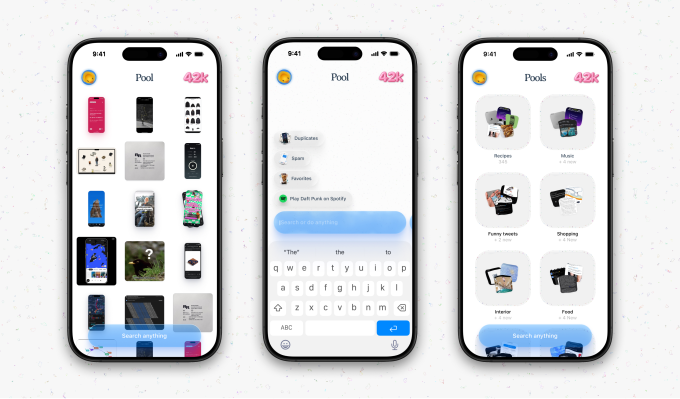
Screenshots have quietly become one of the most important save buttons on the internet. We screenshot recipes, podcasts, products, places, outfits, conversations, receipts, and ideas. Then most of them disappear into the camera roll.
Pool, the screenshot app, is built around that very ordinary mess. The App Store listing describes Pool as a free, iPhone-only Lifestyle app from developer Random Access Memories. It is listed in English, with a 4+ age rating and a sizeable 756.8 MB download. Its promise is simple: turn screenshots into structured content people can organize, revisit, and act on.
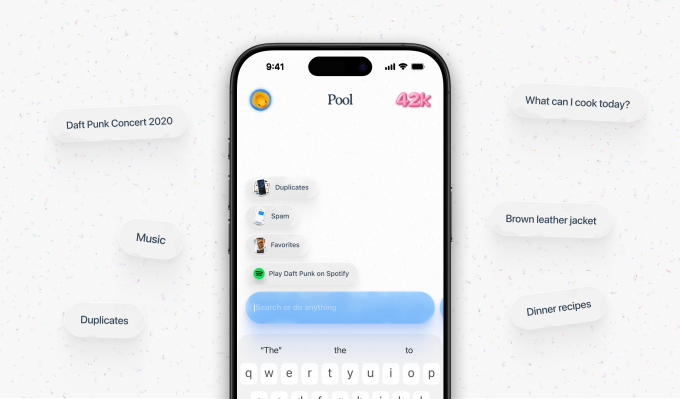
That promise is not framed as photo management. Pool says users can organize screenshots into “pools,” automatically categorize content, find the original links, share pools with friends, and keep everything searchable. The listing also says access is being rolled out gradually, with users invited to download the app and join a waitlist. But a developer response dated June 4 to the app’s lone one-star review says users should update because the app is “now open to everyone.”
This is not a giant platform announcement. It is more interesting because it starts from a small, familiar behavior that platforms have mostly ignored.
Screenshots are no longer dead storage
The camera roll was never designed to be a decision-making tool. It stores images chronologically, which works well enough for photos of a weekend or a birthday. It works less well for the half-remembered screenshot of a restaurant, a creator’s product recommendation, a podcast episode, or a recipe you meant to try three weeks ago.
Pool’s App Store copy names those use cases directly: “a recipe, a podcast, a product, a place.” That detail matters because these are not just memories. They are unfinished actions. A screenshot often means “I may come back to this.” The problem is that the screenshot usually loses the context that made it useful in the first place.
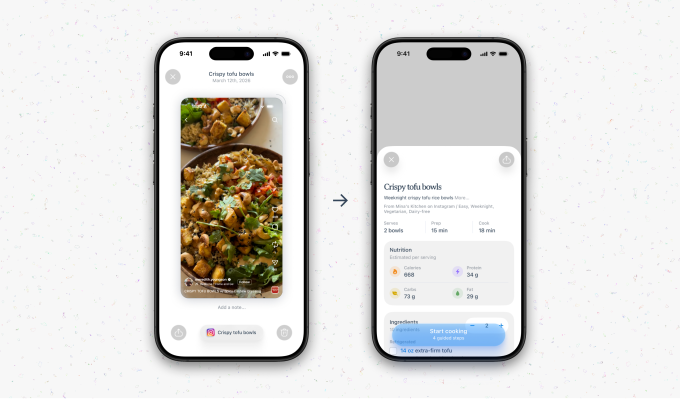
Pool’s most strategic feature is therefore not the ability to create folders. It is the promise to automatically categorize content and find the original links. If that works reliably, the screenshot stops being a flat image and becomes a way back to the thing it captured.
The interface is moving from capture to recall
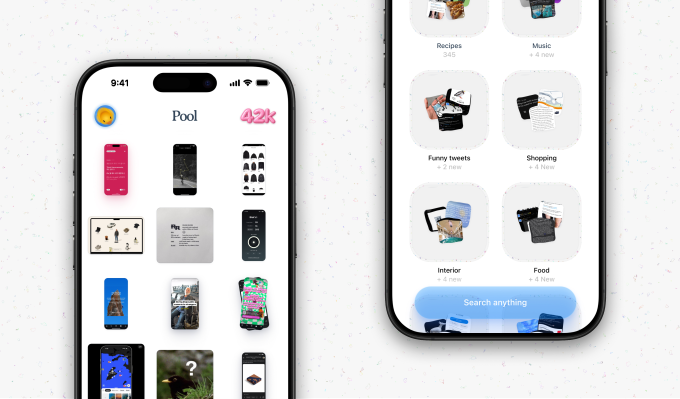
Recent version notes show Pool still shaping that interface in public. Version 2.0.0 added a new onboarding flow, faster loading, and more responsive scrolling. Earlier updates mention a unified grid of all screenshots, better search that “understands what you mean,” pinch-to-zoom on tile detail, simplified adding to pools, and fixes for pools disappearing, deletion crashes, grey tiles, and blurry tile opens.
Those are very practical changes, but they point to the real product challenge: screenshots only become useful if recall feels easier than opening the Photos app and scrolling. A dedicated screenshot app has to beat muscle memory. It has to make search, grouping, sharing, and link recovery feel immediate enough that users change where they go when they want to find something they saved.
The unified grid detail is especially telling. Pool is not asking people to carefully file everything first. It appears to start with the pile, then make the pile searchable. That is closer to how people actually save things online: quickly, imperfectly, and usually without a plan.
What brands should see in the screenshot pile
For brands and marketers, the important signal is not that Pool exists. It is that screenshots are becoming a more usable layer of consumer behavior.
Marketers already optimize for feeds, search results, product pages, creator posts, and checkout paths. But a lot of consideration is parked somewhere much messier: inside a user’s camera roll. A product shot from TikTok, a menu from Instagram, a hotel from Google Maps, a quote from a podcast transcript, a discount code from a story , these are all small fragments of attention that may never be acted on because they are hard to retrieve.
If apps like Pool make those fragments searchable and shareable, saved attention becomes easier to reactivate. The listing does not explain how original-link recovery works, so brands should be careful not to overread the technical mechanics. Still, the direction is clear enough: visual assets, page context, product naming, and creator references need to survive the screenshot moment. If a person captures your content, the content should still make sense when it is found later, outside the feed where it first appeared.
The trust problem is part of the product
There is also friction baked into the category. The App Store currently shows one rating, at 1.0 out of 5. The reviewer complained that they expected a storage-saving app but needed a code “only developers and celebs can have.” The developer replied that the app is now open to everyone. Add the rapid bug-fix history, and Pool looks like an early product moving quickly rather than a finished consumer habit.
There is another obvious issue: screenshots are personal. They can include purchases, messages, addresses, health information, work notes, or private conversations. Pool links to a privacy policy, but any app asking to organize screenshot libraries will need to earn trust through clarity, not just utility.
Still, the larger shift is hard to miss. If Pool, or something like it, makes the screenshot library usable, the camera roll stops being a place where intent goes to die. It becomes a place where consideration can be resumed, shared, and acted on.
Pool is available now as a free download on iOS.
Also Read:
LinkedIn Is Using AI To Rethink How Your Feed Actually Works
Spotify’s AI DJ Now Speaks French, German, Italian, and Brazilian Portuguese
Snapchat Turns Ads Into Conversations With AI Sponsored Snaps