WhatsApp for Web is becoming much harder to treat as the lighter, backup version of WhatsApp.
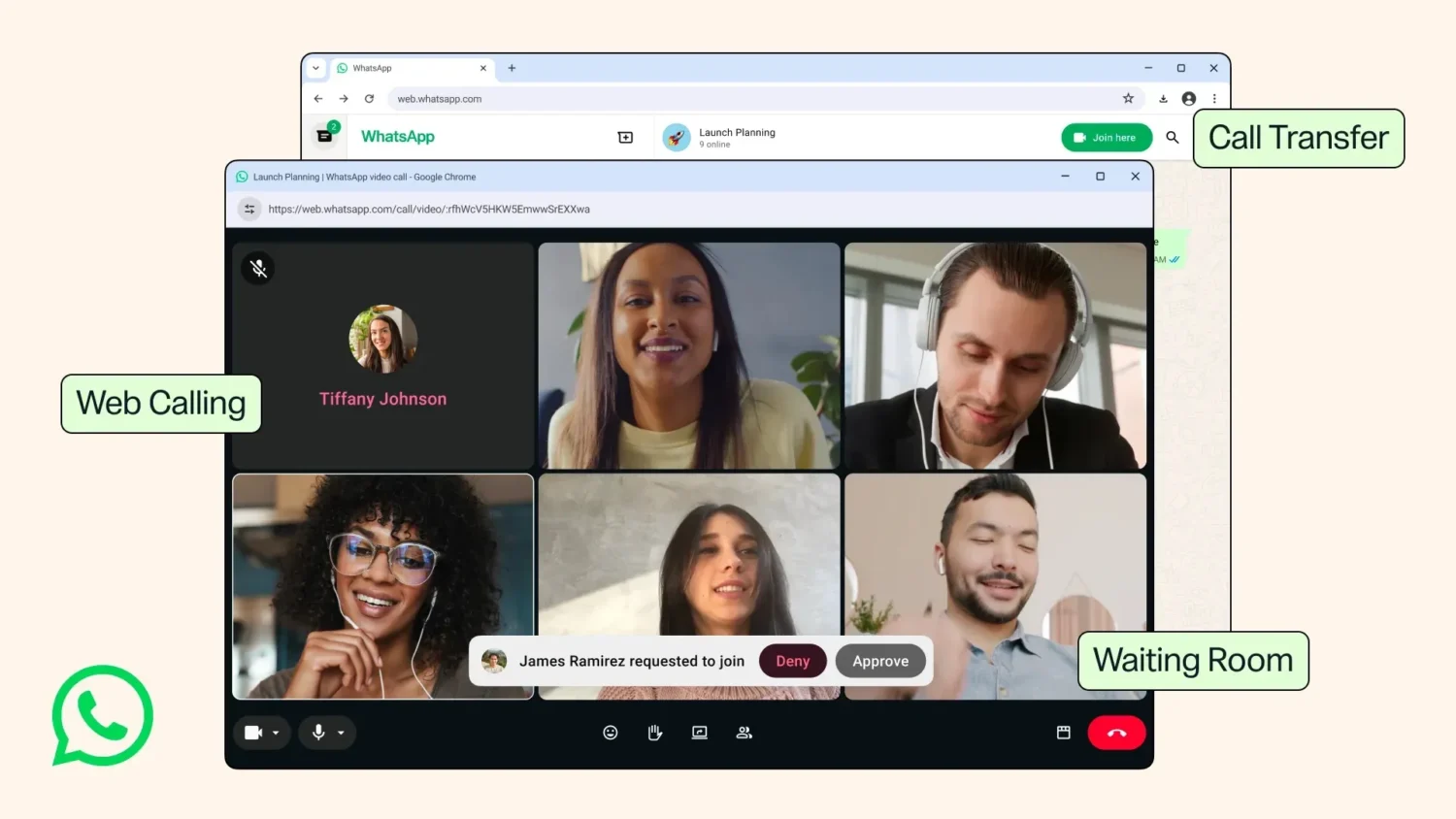
For years, WhatsApp calls lived on the smartphone app or the native desktop app. Now Meta is rolling out the ability to make and receive audio and video calls directly through WhatsApp for Web.
That sounds like a simple catch-up feature. In practice, it changes what the browser version is for. WhatsApp Web has long been where many people type faster, share files from a laptop, or keep chats open while working. Adding calls means the web app can now handle the full rhythm of a conversation without forcing users to jump back to a phone or install the desktop client.
WhatsApp Web is becoming a real calling surface
The new Calls tab on WhatsApp’s web interface will include call history and favorites, matching the logic users already know from mobile and desktop. The web app will also support familiar calling features from the desktop app, including screen-sharing and reactions.
That detail matters. This is not just “click to call” in the browser. Screen-sharing turns WhatsApp Web into a more credible work and coordination tool, while reactions bring the lightweight, social layer of WhatsApp into live calls. It is still WhatsApp, but it is no longer only phone-first.
Meta is also adding call transfer across devices. If you pick up a call on desktop or web, you can move it to your phone without hanging up. That is the kind of feature that understands how people actually use messaging apps: starting a conversation at a desk, then needing to leave the room; joining from a laptop, then switching to mobile; treating devices as interchangeable rather than separate contexts.
It fits the same broader direction WhatsApp has been moving in lately: features built around ordinary, messy daily habits rather than showcase moments, something WeRSM recently explored in WhatsApp’s New Features Are About Real-Life Habits.
WhatsApp is quietly moving into meeting behavior
The more interesting update may be waiting rooms. When creating a call link, users can enable a “Require approval to join” option, allowing hosts to let people in or remove them before they enter a group call.
That is a very meeting-shaped feature. WhatsApp is not suddenly trying to become Zoom overnight, but waiting rooms give users more control over group calls, especially in work or community contexts where call links can travel beyond the intended group. Add background noise suppression for busy places, and faster high-definition video at the start of calls, and the pattern becomes clear: WhatsApp wants calls to feel less improvised and more reliable.
There is also a bigger identity layer coming. WhatsApp recently opened reservations for usernames, and once that feature goes live, people will be able to use usernames to call other users across platforms. That could reduce the role of phone numbers over time, especially for people who want to connect without sharing their personal number first.
For brands, creators, community managers, and small businesses already using WhatsApp as a direct relationship channel, the practical implication is simple: calls are becoming easier to start, manage, and move across devices. The browser is no longer just where WhatsApp follows the phone. It is becoming one of the places where the relationship can actually happen.
Also Read:
WhatsApp’s New Features Are About Real-Life Habits
Threads Joins Meta’s Parental Supervision Stack
WhatsApp’s Liquid Glass Redesign Is Coming To Mac