


Slack channels are about to become miniature creative studios. Adobe has launched Adobe for Slack, an integration that gives Slackbot access to more than 70 tools from Firefly, Adobe Express, Photoshop, Premiere, Acrobat, InDesign, Illustrator, Stock, Lightroom and other Adobe products.
Teams can describe what they need in plain language, and Slackbot will select the appropriate Adobe capabilities to complete the task.
The integration can create images, edit photographs, produce videos, build PDFs, find Creative Cloud assets and adapt campaign materials without requiring users to leave the conversation where the project is already happening.
Adobe is not simply putting creative tools inside another app. It is connecting production to the messages, briefs, references and feedback that explain what needs to be created.
Slackbot Chooses The Right Adobe Tools
Adobe for Slack works through Slackbot, Slack’s built-in AI assistant. After installing the Adobe app, a user can describe an outcome rather than select an individual Creative Cloud application or manually construct a workflow. Slackbot can then call the relevant Adobe tools behind the scenes.
A request to turn a campaign brief into a presentation might involve Acrobat and Adobe Express. Editing a set of product photographs could call on Photoshop and Lightroom capabilities. Creating social variations from approved campaign assets might involve Express, Premiere or Firefly.
The connection uses Slackbot’s Model Context Protocol client. MCP is an open standard that allows AI assistants to communicate with external applications, retrieve information and perform actions through them.
Instead of requiring a separate integration for every individual action, Adobe can make a large collection of capabilities available through one conversational interface.
What Teams Can Create Inside Slack
Adobe says teams can use the integration to:
- Find and summarize information from Slack conversations or Canvases, then transform it into images, videos or PDFs.
- Search Creative Cloud libraries for assets from previous campaigns by subject, style or mood.
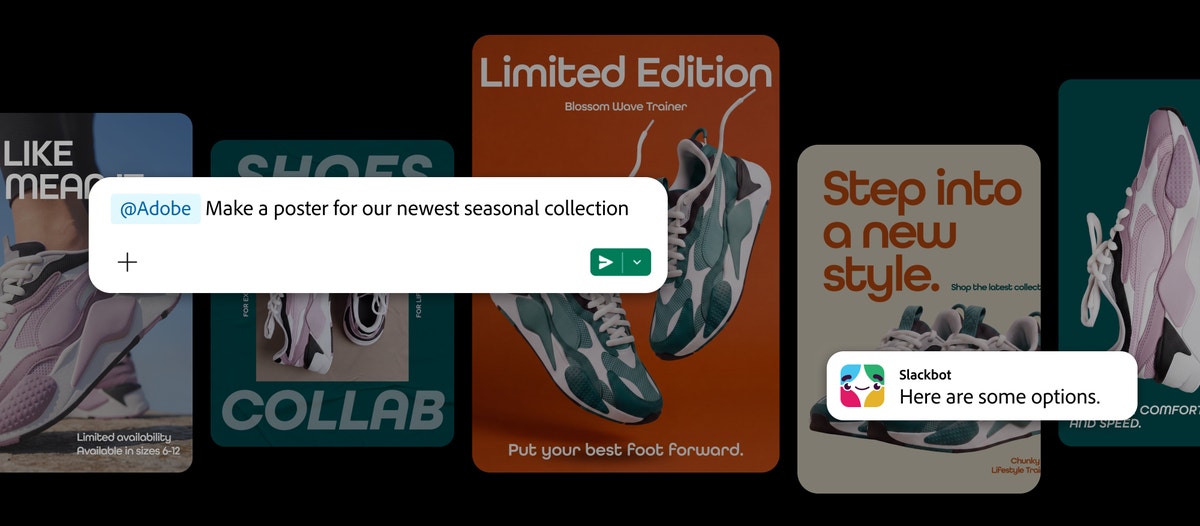
- Resize approved images and videos for different social platforms.
- Browse templates, customize copy and colors, add animation or create print-ready documents.
- Turn spreadsheets and datasets into shareable visuals or formatted PDFs.
- Edit photographs in batches by removing backgrounds, eliminating distractions, adjusting lighting and tone, cropping images and creating variations.
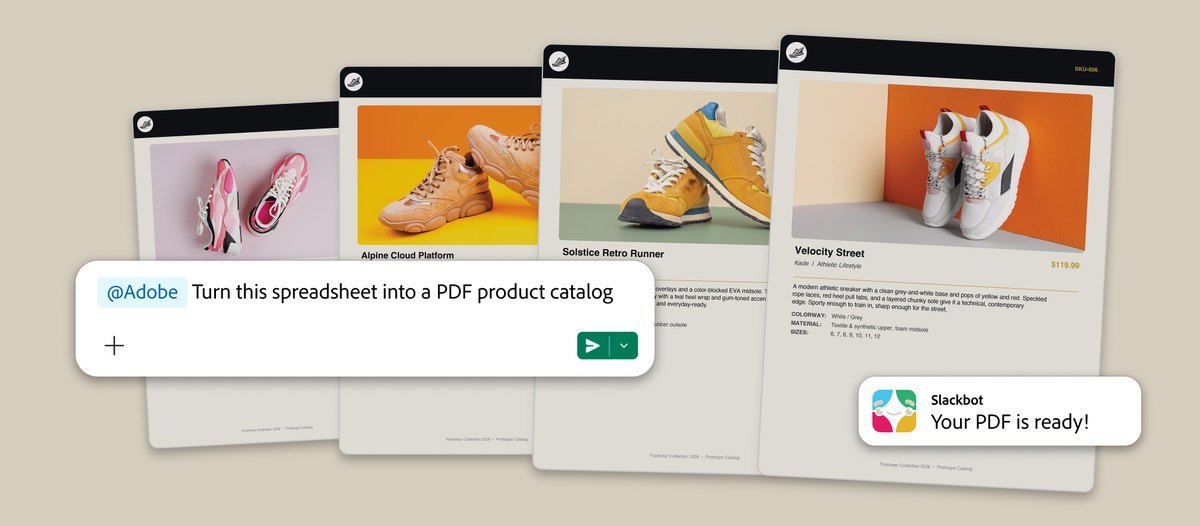
Users can continue refining the output conversationally, asking Slackbot to change an image, produce another version or prepare the work for a different channel.
The result can then be shared into a channel for the rest of the team to review.
The Real Feature Is Context
Adobe has supported Slack integrations for years. Previous versions made it easier to share Creative Cloud files, receive notifications and track comments. Adobe Express also allowed users to generate basic assets inside Slack.
Adobe for Slack goes considerably further because it can use the surrounding work as context.
Slackbot can draw from conversations, files, channels and Canvases before sending a task to Adobe. It may already have access to the campaign brief, the approved copy, the client feedback and the reference image someone shared several days earlier.
That information is normally scattered across the production process.
Someone reads the brief in Slack, downloads the reference materials, opens an Adobe application, searches for the correct assets, creates the work and returns to Slack to request feedback.
The new integration compresses several of those handoffs into one conversation.
The user does not have to repeatedly explain the project because much of the explanation already exists in the workspace.
Context becomes more valuable than access to any single tool.
Creative Work Is Becoming Multiplayer
Most AI creative tools begin as private experiences. One person opens a chatbot, uploads files, writes a prompt and receives an output. The rest of the team usually sees the result after the process is complete. Slack is trying to turn that individual workflow into something collaborative.
Once an Adobe output is shared into a channel, other people can review it, question it and suggest the next change. The production process becomes visible alongside the conversation that shaped it.
This fits Slack’s wider ambition to become the connective layer for workplace AI. Its MCP client can already work with applications including Canva, Figma, Miro, Linear, Docusign, Box and Webflow.
Adobe adds a particularly important part of the stack: professional content production.
Slack does not need to replace those specialist tools. It wants to become the interface through which teams coordinate them.
Faster Creative Can Also Produce More Creative
There is an obvious advantage for marketing and social teams.
A strategist could turn an approved visual into several social formats without waiting for a designer to complete a repetitive resizing task. A community manager could quickly create a timely variation using approved assets. A team could transform information from a channel into a client-ready document while the conversation is still active.
But reducing production friction does not automatically reduce creative friction.
Slack is already where designers receive vague requests to make something “pop,” change a color or produce another version. Giving everyone the ability to generate variations could create more output without creating better decisions.
The integration will be most valuable when teams establish clear boundaries around its use.
Templates, batch edits, resizing, asset retrieval and production variations are good candidates for automation. Brand judgment, visual direction, originality and final approval remain creative responsibilities.
Otherwise, the same technology that removes repetitive work could produce an endless stream of almost-approved assets requiring someone to review them.
Speed only helps when the team knows what deserves to move faster.
Adobe Apps Still Handle The Final Mile
Adobe for Slack does not place the complete Photoshop, Premiere or InDesign experience inside a channel.
Adobe says users can continue their work inside its flagship applications when they need more creative control, advanced editing or pixel-level precision.
That makes Slack the starting point and coordination layer rather than the destination for every creative task.
The integration is designed to handle the distance between a conversation and a workable asset. Professional creators can then decide whether the output is finished or needs deeper attention inside Creative Cloud.
This distinction matters.
Conversational interfaces make advanced capabilities easier to access, but they do not eliminate the value of technical expertise. Knowing what to ask for is not always the same as knowing whether the result is good.
Who Can Use Adobe For Slack
Adobe for Slack is available globally across desktop, web and mobile for customers using Slack Business+ or Enterprise+.
People can begin using the app as guests without an Adobe account. Signing in or creating a free Adobe account unlocks additional tools, generative AI capabilities, access to Creative Cloud files and the ability to continue work across sessions. The integration can be added by opening a direct message with Slackbot, selecting Manage Apps and connecting Adobe.
Workspace administrators will still control which applications can be installed and what information users are permitted to access. Slack says its MCP system respects existing credentials and user-specific data boundaries when accessing connected services.