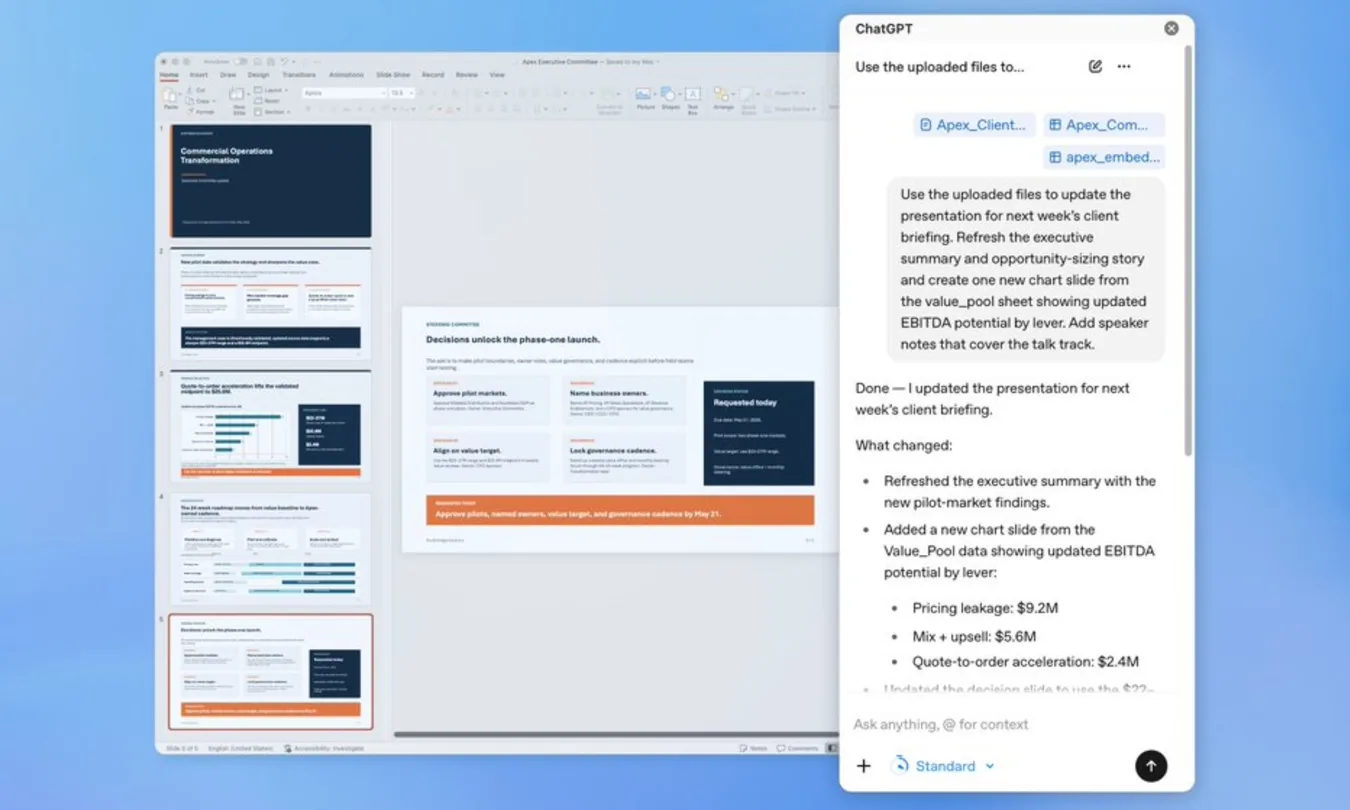
The hardest part of building a presentation was never the ideas. It was always the endless slide tweaking, the bullet-point reshuffling, and the quiet panic of wondering whether your story actually made sense.
Now, OpenAI wants to handle that part for you.
ChatGPT for PowerPoint, currently rolling out in beta, brings the AI assistant directly into PowerPoint’s sidebar.
What can ChatGPT do in PowerPoint?
But unlike the wave of AI slide generators we’ve seen over the last year, this isn’t just about creating prettier decks faster. The real ambition is much bigger: turning presentations into something you can actually talk through with AI
Instead of starting from a blank slide, users can simply describe the presentation they need, upload notes, spreadsheets, documents, or images, and let ChatGPT generate an initial structure. Existing decks can also be edited slide by slide without having to rebuild everything from scratch.
But the most interesting feature isn’t generation. It’s interrogation.
ChatGPT can now review your presentation using its reasoning capabilities to identify weak storytelling, missing context, unclear logic, and even anticipate the questions your audience or clients are likely to ask. In other words, the assistant is no longer just designing the deck. It’s acting like the strategist sitting in the room with you.
And while comparisons to Microsoft Copilot are inevitable, OpenAI is betting on a different advantage: connectivity.
ChatGPT for PowerPoint can pull live information from tools like Gmail, Outlook, and SharePoint, allowing teams to build presentations using existing company knowledge instead of manually copying and pasting information across platforms. Quarterly business reviews, board decks, client updates, and strategy presentations suddenly become less about formatting slides and more about shaping ideas.
It’s changing everything about PowerPoint
Because AI presentation tools are evolving beyond “make me slides” utilities. They’re becoming thinking partners embedded directly inside workplace software.
The interface itself is starting to disappear. Instead of clicking through menus and design tabs, users simply explain what they’re trying to achieve.
The result is a future where presentations become conversational workflows rather than static files.
And honestly, PowerPoint may never feel the same again (which we all agree is a good thing.)
Also Read:
Spotify Adds an ElevenLabs-powered Audiobook Creation Tool
Firefox Frames AI Browsing As A Choice, Not A Takeover
Vibe Coding Is Changing Who Gets to Build